Package Name:com.control.widget.custom.panel.wallpaper.pack
SHA-256:a379f22cfcdb62210661aede12d62a75e228dae66e7131df9a33096f6f698174
Show More


Control Widget: Theme & Panels is made for users who want their phone controls to look closer to their wallpaper, icons, widgets, and home screen style. Instead of leaving the quick panel with a plain default look, the app gives the panel a more personal visual style for daily use. At the same time, Control Widget: Theme & Panels APK keeps the focus on common phone controls, so users can adjust their device without moving far from the panel area.
Custom quick panel themes
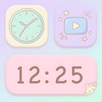
Control Widget: Theme & Panels offers more than 200 custom control panel themes. These quick panel themes cover different looks, including cute, cartoon, anime inspired, K pop, minimalist, glass, neon, gradient, and trendy styles. Because the choices are grouped around common visual tastes, users can pick a panel that fits a casual home screen, a colorful setup, or a cleaner daily layout.
Matches your phone style
You can use the app to make the Android control panel feel closer to the rest of your phone. For example, a soft wallpaper can be paired with a cute aesthetic control panel, while a darker icon set can work with neon or glass style panels. This helps the quick panel look less separate from the home screen and more consistent with the theme you already use.
Daily controls in one panel
Control Widget: Theme & Panels includes common shortcuts used throughout the day. You can access brightness, volume, Wi Fi, Bluetooth, Airplane Mode, Do Not Disturb, flashlight, screenshots, and screen recording when the device supports them. As a result, the app is not only about visual changes, since it also keeps basic controls easy to reach from a familiar panel layout.
Easy theme switching
You can change the panel theme when your wallpaper, icons, or mood changes. This is useful for users who often update their phone setup and want the control panel to follow the same style. Instead of staying with one fixed look, Control Widget: Theme & Panels lets the quick panel refresh without changing the whole phone interface.
Designed for broad phone use
Control Widget: Theme & Panels is described by users as working across different phone brands, with many reviews mentioning beautiful control panels, cute wallpapers, and cool animations. However, the exact behavior can depend on the Android version, device model, and the permissions available on the phone. Some shortcuts, such as screenshots or screen recording, may also depend on device support.
Before installing Control Widget: Theme & Panels, users should expect a personalization app that changes how the quick panel looks and feels during daily use. It focuses on appearance, shortcuts, and simple theme changes rather than replacing every part of the Android system. This makes it suitable for users who mainly want a themed panel experience without changing their full launcher setup.
The app may contain ads, which can appear while browsing themes or using some parts of the app. In addition, certain functions may request permissions so the related shortcut can work correctly. If a feature does not respond the same way on every phone, the reason is usually device support, Android settings, or brand specific system limits.
Control Widget: Theme & Panels is simple to start using after installation. If you want to try the Control Widget: Theme & Panels latest version, follow the setup flow on your Android phone and choose a panel style that fits your current home screen.
Control Widget: Theme & Panels gives Android users a way to customize the quick panel with themed designs and practical daily controls. Users who want a cute, colorful, minimalist, or trend based panel can download Control Widget: Theme & Panels and choose a style that fits their phone setup.
Official information provided for Control Widget: Theme & Panels is listed here for users who need developer details.
Latest Version
1.3.4Uploaded by
Leandro Martins
Requires Android
Android 8.0+
Category
Free Personalization AppContent Rating
Everyone
Security Report
Check Now
Report
Flag as inappropriateLast updated on Sep 25, 2026
This release includes minor bug fixes and general improvements. Update to the latest version for the best experience.



APKPure - A multi-platform app store primarily focused on Android, providing extensive app-related content. Discover the app you want easier, faster, and safer, with quick and efficient downloads and installations.