Anywheel is made for short city trips, daily errands, and the first or last part of a commute. It gives users a direct way to look for nearby shared bicycles and manage a ride from an Android phone. As a result, the app is useful when walking feels too slow but a longer transport option is not needed. Users who want to download Anywheel can use it to handle simple bike access for everyday urban travel.
Find nearby bicycles
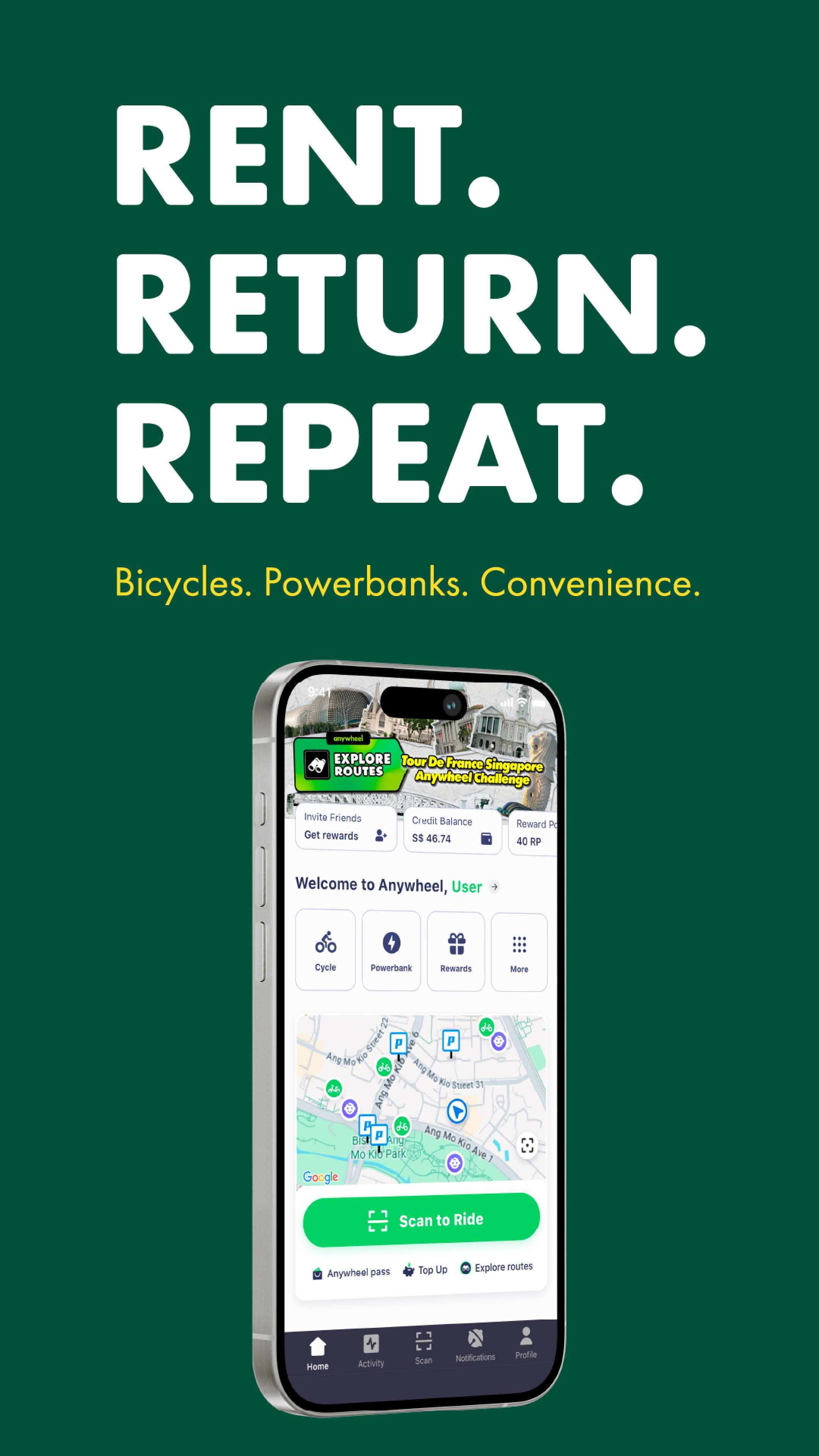
Anywheel helps you check for nearby shared bicycles before starting a trip. This is useful for daily commutes, lunch breaks, quick errands, or short rides across town. Instead of searching street by street, you can use the app to see available Anywheel bike options around your current area and decide whether a ride fits your route.
Unlock rides from the app
You can unlock a bicycle directly through Anywheel by scanning and confirming the ride in the app. After that, the bike becomes ready for use according to the normal ride process. This keeps the start of the trip focused on the phone, so you do not need a separate card or manual booking step before riding.
Reserve a bicycle before riding
Anywheel lets users with an account reserve a bicycle in advance. This can help when you want to secure a bike before walking to its location, especially during busy periods or in areas where bikes may be picked up quickly. The reservation function gives you more control over the start of a short trip, but you still need to begin the ride within the allowed time.
Review previous trips
Anywheel includes ride history, so you can check past trips after using the service. This makes it easier to look back at recent usage, especially if you ride often for work, school, or errands. In addition, past trip records can help you understand your riding habits and keep track of how the app fits into your daily transport routine.
Top up the wallet without a deposit
You can add value to the Anywheel wallet to use the service. According to the official sign up page, no deposit is required, which may make the first setup simpler for new users. Once the wallet has enough balance, you can use the app to start eligible rides and manage short distance travel more easily.
Anywheel reservations are useful for users who want more certainty before walking to a bike. A reserved bicycle is held for 30 minutes, so you should start the ride within that time if you still plan to use it. This detail matters for users comparing bike sharing choices in Singapore, because reservation timing can affect how well the service fits a daily commute.
Before reserving, it is also helpful to know that some reservation related fees may apply in certain cases. These may include unused reservations, very short rides, or returns within the same area. Because of this, users should reserve only when they are ready to reach the bicycle and start the trip soon.
The wallet top up flow is an important part of using Anywheel. Since the official sign up page states that no deposit is required, users can focus on adding ride value instead of paying an upfront deposit. For new users, this can make it easier to try the Anywheel app for a short commute or a simple city trip.
At the same time, the app is mainly suited to short distance travel. It works best when you need to cover the first or last part of a journey, move between nearby places, or replace a short walk with a bike ride. If your route depends on bike availability at a specific location, checking the app before leaving can help you make a better decision.
Using Anywheel on an Android phone starts with checking nearby bikes and preparing your account for a ride. After installing the Anywheel APK, open the app and follow the normal in app flow to find, unlock, and manage a bicycle trip.
Anywheel helps users find shared bicycles, unlock rides, reserve bikes, review trips, and top up a wallet for short urban travel. If you need a bike sharing app for first mile and last mile journeys, you can get the Anywheel latest version and use it for suitable daily routes.
Latest Version
3.13.0Uploaded by
ชิติพัทธ์ ใจตรง
Requires Android
Android 8.1+
Category
Free Travel & Local AppContent Rating
Everyone
Report
Flag as inappropriateLast updated on Sep 23, 2026
Our rides just got more affordable! Update now to unlock better pass options.





APKPure - A multi-platform app store primarily focused on Android, providing extensive app-related content. Discover the app you want easier, faster, and safer, with quick and efficient downloads and installations.