
Aadhaar supports Aadhaar Number Holders who need access to identity services without visiting a service centre for every task. Aadhaar is developed by UIDAI and is meant for residents in India who want to view, manage, verify, and share Aadhaar information from a phone. For this reason, the Aadhaar app is useful when you need Aadhaar details available for routine verification, family profile access, or consent based sharing.
Manage Aadhaar details on mobile
Aadhaar lets you handle selected Aadhaar related tasks from your Android phone. You can update details such as address or mobile number through the app where the service is available and eligible for your profile. However, some changes may still require a visit to an Aadhaar Seva Kendra, so the app should be seen as a mobile service option, not a full replacement for every Aadhaar update process.
Access Aadhaar identity information
Aadhaar allows you to download Aadhaar information in digital form and keep Aadhaar related identity details available on your device. This is useful when you need to view your Aadhaar data during verification or when filling out services that require Aadhaar details. In addition, the Aadhaar download function helps users keep identity information close at hand without carrying printed copies all the time.
Share Verifiable Credentials with consent
Aadhaar supports sharing of Aadhaar Verifiable Credentials with user consent. You can choose to share full information or selected details when selective sharing is available. This gives you more control over what is shared, because the process is based on permission rather than automatic disclosure.
Use secure access and onboarding
Aadhaar uses face authentication, a 6 digit PIN, and SIM based verification during access and onboarding. These checks help confirm that the person using the app is linked to the Aadhaar profile on the device. As a result, the Aadhaar APK is designed around verified access before sensitive Aadhaar services can be used.
Lock biometrics and manage family profiles
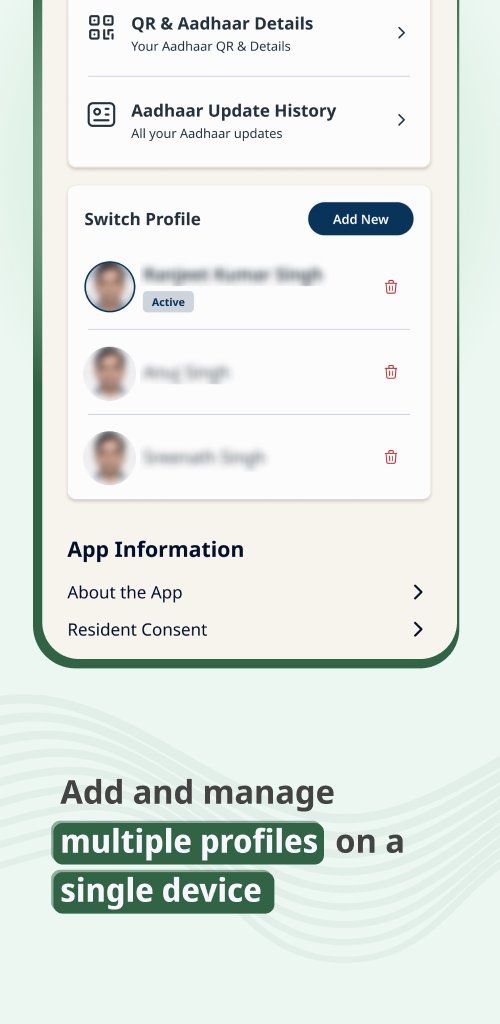
Aadhaar includes a one tap option to lock or unlock biometrics when you want extra control over Aadhaar based biometric use. The app also supports multiple Aadhaar profiles on one device, with up to five profiles supported. This can help families manage Aadhaar access from a shared phone while keeping each profile separate.
Aadhaar is an official UIDAI Aadhaar identity management app, not only a tool for viewing an Aadhaar number. Before you download Aadhaar, it is useful to understand that the app focuses on services linked to Indian residents and Aadhaar Number Holders. It may not be usable outside India, and some services can depend on mobile number linking, SIM verification, and eligibility rules.
The app may request access to phone functions such as camera, SMS, or call related permissions as part of verification, scanning, authentication, or device based checks. These permissions support Aadhaar service flows inside the app rather than general browsing. If developer options are enabled on a device, some Aadhaar functions may not work as expected because the app is designed for controlled and verified use.
After installing the Aadhaar latest version, open the app and keep your Aadhaar linked mobile number available for verification. The setup process is meant to connect your device, SIM, and Aadhaar profile before you use identity services.
Aadhaar gives Indian residents a mobile way to manage Aadhaar identity information, share credentials with consent, and protect biometric access. Download Aadhaar when you need UIDAI Aadhaar services on Android and want profile access from one device.
Official information is available from UIDAI through the following website:
Latest Version
1.5.5Uploaded by
Rudy Seite
Requires Android
Category
Free Productivity AppContent Rating
Everyone
Report
Flag as inappropriateLast updated on Sep 30, 2026
This release includes minor bug fixes and general improvements. Update to the latest version for the best experience.





APKPure - A multi-platform app store primarily focused on Android, providing extensive app-related content. Discover the app you want easier, faster, and safer, with quick and efficient downloads and installations.