
OtterAI Transcribe Voice Notes helps users who need to keep track of spoken information during busy days, classes, calls, or team discussions. Instead of relying only on memory or handwritten notes, you can record a conversation and review the text afterward. In this way, the OtterAI Transcribe Voice Notes latest version is useful for people who want clearer records of meetings, lectures, interviews, and voice memos on Android.
Real time transcription
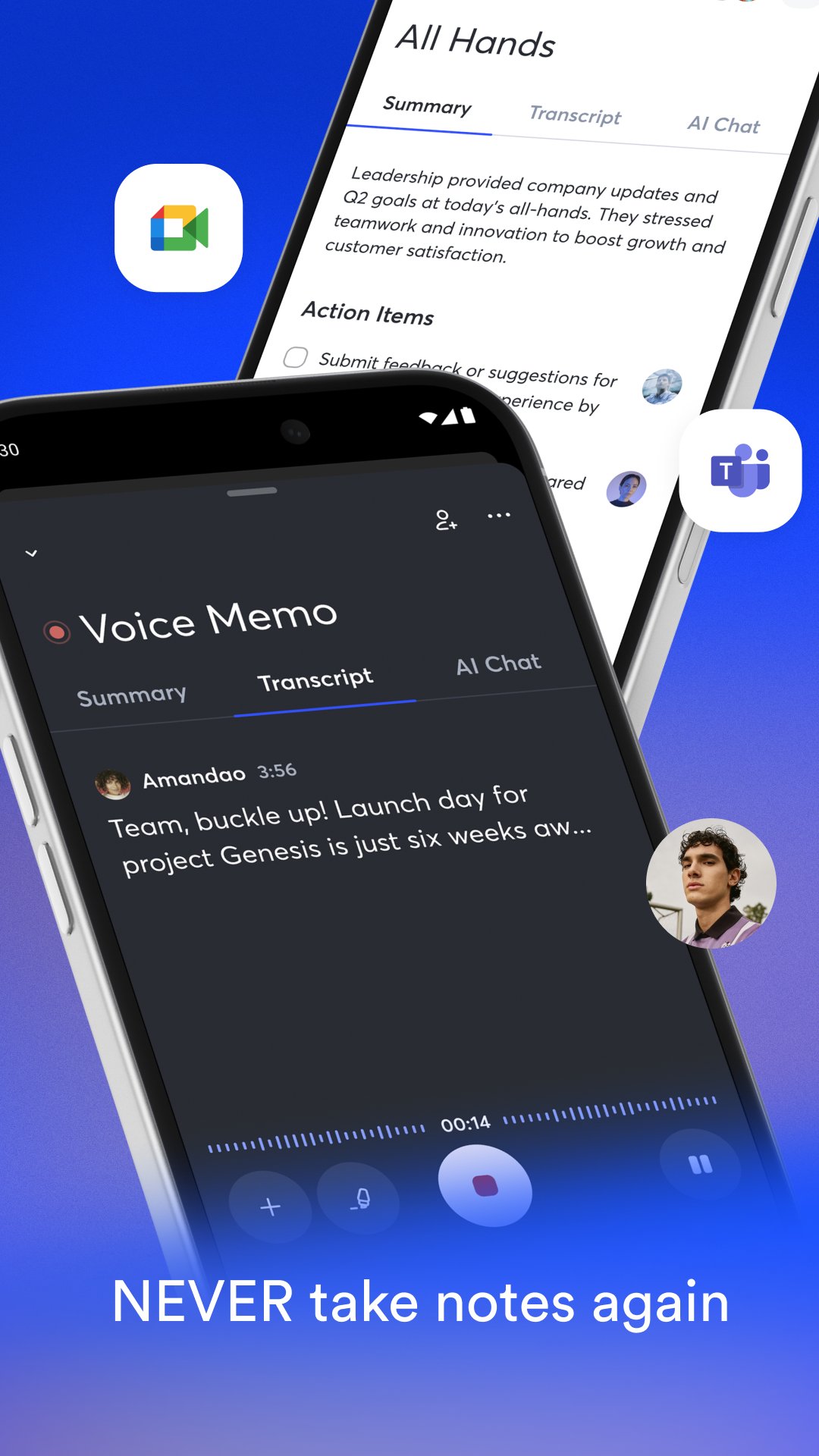
OtterAI Transcribe Voice Notes records speech and converts it into text while the conversation is happening. You can use it for in person talks, interviews, lectures, podcasts, videos, webinars, and online meetings through Zoom, Google Meet, or Microsoft Teams. As the text appears, it becomes easier to follow long discussions and check what was said without waiting until later.
Meeting notes and summaries
OtterAI Transcribe Voice Notes can turn a recorded meeting into notes that include summaries, decisions, takeaways, and assigned action items. This helps when a discussion includes many details or several people speaking at once. After the meeting, you can review the main points instead of reading the full transcript from start to finish.
Questions and writing support
You can use AI Chat to ask questions across your meeting notes and find information from past conversations. For example, you may ask what a client requested, what tasks were assigned, or what points were discussed in a lecture. From there, OtterAI Transcribe Voice Notes can also help create follow ups, emails, reports, and other text based on the meeting content.
Review tools for long recordings
OtterAI Transcribe Voice Notes includes live captions, speaker recognition, automatic punctuation, paragraph formatting, and highlighted playback. These tools make recorded conversations easier to read and check. When you play the audio, the matching text can be highlighted, so you can move between the transcript and the original voice recording more easily.
Sharing and organization
You can share transcripts with teammates, edit notes together, highlight important lines, and add comments. OtterAI Transcribe Voice Notes also lets users organize discussions in Channels or folders, which is useful when notes come from different projects, classes, clients, or teams. In addition, import, sync, search, and export options help keep meeting records easier to manage over time.
OtterAI Transcribe Voice Notes is useful when spoken information needs to become written records. A salesperson can keep sales call notes, a student can review lecture summaries, and a journalist can work from media interview transcripts. Recruiters can also use meeting records to check candidate answers, while project teams can track decisions and follow ups after group calls.
The app also supports workflows that involve other tools. Based on the provided information, Otter.ai can connect with services such as Slack, Google Calendar, Google Docs, Dropbox, Salesforce, HubSpot, Jira, Notion, and Asana. These connections matter for users who want meeting notes to fit into their daily work instead of staying only inside a recorder app.
Before choosing an Otter Android download, it helps to know how the app handles existing content. OtterAI Transcribe Voice Notes supports audio and video uploads, calendar reminders, cloud backup, and search across saved notes. For output, users can export text as PDF, TXT, or SRT files, and audio as MP3 files when needed.
These options are useful if you need to keep a transcript for a report, share captions for a video, or store a voice recording outside the app. Since different users work with different file types, export support can affect whether the app fits a class, team, interview, or content workflow.
After installing the OtterAI Transcribe Voice Notes APK, open the app and choose the recording or import option that matches your situation. The process is simple enough for daily use, but it is best to record in a quiet place when possible so the transcript is easier to review.
OtterAI Transcribe Voice Notes is designed for users who need recordings, transcripts, summaries, and follow up notes from spoken conversations. You can download OtterAI Transcribe Voice Notes to manage meetings, classes, interviews, and voice memos from an Android phone.
Official information is available from the developer through the following links.
Latest Version
3.109.3-7577Uploaded by
Vijay Gadhwali
Requires Android
Android 6.0+
Category
Free Productivity AppContent Rating
Everyone
Report
Flag as inappropriateLast updated on Oct 7, 2026
Bug fixes



APKPure - A multi-platform app store primarily focused on Android, providing extensive app-related content. Discover the app you want easier, faster, and safer, with quick and efficient downloads and installations.