How to Download SongHub APK Latest Version for Android

2026-10-09
A step-by-step guide to downloading the SongHub APK on Android, installing the latest version, and fixing common install problems fast.

SongHub keeps your chord charts, setlists, and recordings in one place, and getting its latest Android build is simpler than you'd think. This guide walks you through the whole process step by step. Maybe you've seen a bandmate flip through SongHub charts on stage and want the same setup. Or your old install is acting up and you just need the newest version without the guesswork.
You don't need a rooted phone or any special tools. A normal Android device, a steady Wi-Fi connection, and about ten minutes are enough to land the SongHub APK download and have the app running. By the end, you'll know where to get it, how to install it, and how to fix things when the install refuses to cooperate.
What SongHub Does on Android
SongHub is a music management app built for players who perform, not only for listeners. It holds your chord charts, transposes them on the fly, runs a setlist in order, and even records ideas next to the song you're working on. Think of it as a songbook that syncs across your phone, tablet, and the web.
The Android build matters because your phone is always with you. You can fix a chart at home, then pull it up at rehearsal without exporting a single file. That's the appeal of the SongHub Android APK: your whole library travels with you.
The app runs on a subscription with a 7-day free trial, so you can test the full feature set before paying. The free trial doesn't ask for a card, which makes trying it low-risk.
Step 1: Check Your Android Version and Free Space
Before you touch any SongHub download, confirm your phone can handle it. Open Settings and scroll to About phone, then tap Android version. SongHub needs a reasonably current Android build, so anything from Android 8.0 and up is a safe floor.
Next, check storage. Go to Settings > Storage and see how much room is left. Chord charts and audio recordings pile up faster than you'd expect, so leave yourself a gigabyte or two of headroom rather than installing right at the limit.
- Open Settings.
- Tap About phone > Android version to confirm your build.
- Go back and open Storage to check free space.
- Clear cached files if you're below 1 GB free.
- Takes under a minute, and it saves you from a failed install halfway through.
Step 2: Enable Install From Unknown Sources
Android blocks sideloaded apps by default, so you have to allow it for your browser or file manager. The exact wording shifts a little between phone makers, but the path is close to the same everywhere.
On most modern Android builds, go to Settings > Apps > Special app access > Install unknown apps, then pick the browser or file manager you'll use for the SongHub APK download and toggle Allow from this source on.
- Open Settings.
- Go to Apps > Special app access > Install unknown apps.
- Select your browser or file manager.
- Turn on Allow from this source.
Don't flip this switch globally for every app. Grant it only to the one tool you'll actually use, then turn it back off once SongHub is installed.
Step 3: Download SongHub APK
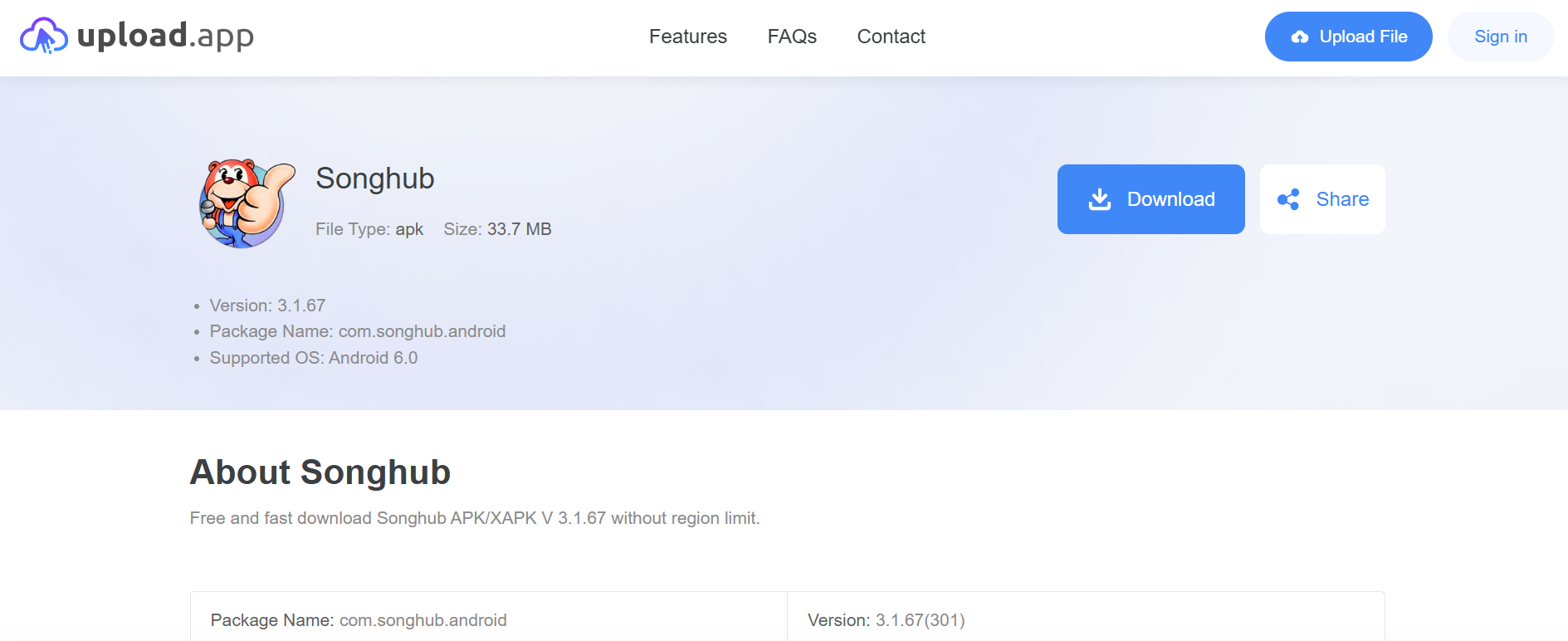
- Go to https://upload.app/download/songhub/com.songhub.android/5e0cede33b56414a58199e560814c644ac0c6a3cf0dce78ae6f788796adf1f9d
- Click Download to get SongHub APK latest version on Android.
Step 4: Install the SongHub APK on Your Device
With the file downloaded, open your file manager and head to the Downloads folder. Tap the SongHub APK file to start the installer.
- Open Files or your file manager.
- Navigate to Downloads.
- Tap the SongHub APK file.
- Read the permissions prompt, then tap Install.
- Wait for Android to finish, then tap Open.
If a warning pops up about installing from an unknown source, that's the setting from Step 2 doing its job. If you already allowed it, the prompt won't appear. The install itself usually takes a few seconds.
Step 5: Sign In and Set Up SongHub
Once SongHub opens, sign in with your account so your library syncs down from the cloud. If you're new, the sign-up flow takes a minute and starts your 7-day free trial.
Then set your defaults: choose your primary instrument, pick your chord notation style, and turn on auto-scroll if you read charts on stage. These small settings save you fumbling mid-song later.
- Open SongHub and sign in.
- Pick your instrument and notation style.
- Enable auto-scroll if you perform live.
- Import an existing chart or a song to test the sync.
Play with one song before your next gig. You want to know the app works the way you expect long before you're standing in front of an audience.
Tips for a Smooth SongHub APK Install
A few habits keep your SongHub setup healthy after the first install.
- Keep Wi-Fi on during the SongHub download so a large file doesn't stall and leave you with a broken partial download.
- Check the version number each time before updating, since reinstalling an older SongHub APK can roll back fixes.
- Turn Install unknown apps back off once you're done, so you aren't leaving the door open.
- Back up your charts before a major update if you've edited a lot of songs, just in case.
- Keep an eye on storage, because audio recordings in SongHub grow quietly over time.
None of these are dramatic. They just keep you from redoing work you've already done.
Troubleshooting Common SongHub APK Problems
Even a clean SongHub APK download can hit a snag. Here are the ones people run into most, and what actually fixes them.
"App not installed" error. This usually means an older copy of SongHub is already on the device with a different signature. Uninstall the existing version first, then run the installer again.
Parse error when you tap the file. The download is likely incomplete or corrupted. Delete the file and grab the SongHub Android APK again over a stable connection.
Install button is grayed out. You skipped or reversed the unknown-sources setting. Go back to Settings > Apps > Special app access > Install unknown apps and confirm your browser or file manager is allowed.
App crashes right after opening. Clear the app cache from Settings > Apps > SongHub > Storage > Clear cache. If it still crashes, uninstall and reinstall the latest build.
Your library doesn't sync. Sign out and back in, and check that you're on the same account you used on your other device. Sync issues are almost always an account mix-up, not a broken APK.
Keeping SongHub Updated Going Forward
Once SongHub lives on your phone, staying current takes little effort. Turn on auto-updates if you installed it through a store, or check the source page periodically if you sideloaded it. New builds tend to fix sync bugs and add features, so running an outdated copy only costs you.
If a fresh version is out and you don't see an update prompt, download the new SongHub APK and install it right over the old one. Android keeps your data when the signature matches, so you won't lose your charts.
That's the whole process. You now know how to prepare your device, grab a safe SongHub APK download, install it, and get out of trouble when things go sideways. Start with one song tonight, and your next set will run off your phone instead of a dog-eared binder. Download the latest SongHub Android APK from a trusted marketplace, keep it updated, and let the app carry the charts so you can carry the performance.
 NEWS
NEWS REVIEWS
 HOWTO
HOWTO